Free to start ★ Creator's Choice 2025 ⚡ Top UGC Tool

UGC Creator Portfolio

Upload your UGC videos and get a professional portfolio page in 2 minutes. AI detects brands, hooks, and content types automatically. Free to create, free to edit by hand, AI features at a low credit price.

3,000+
Creators
2 min
Setup
Free
To create
AI
Brands
$0.15
Per credit
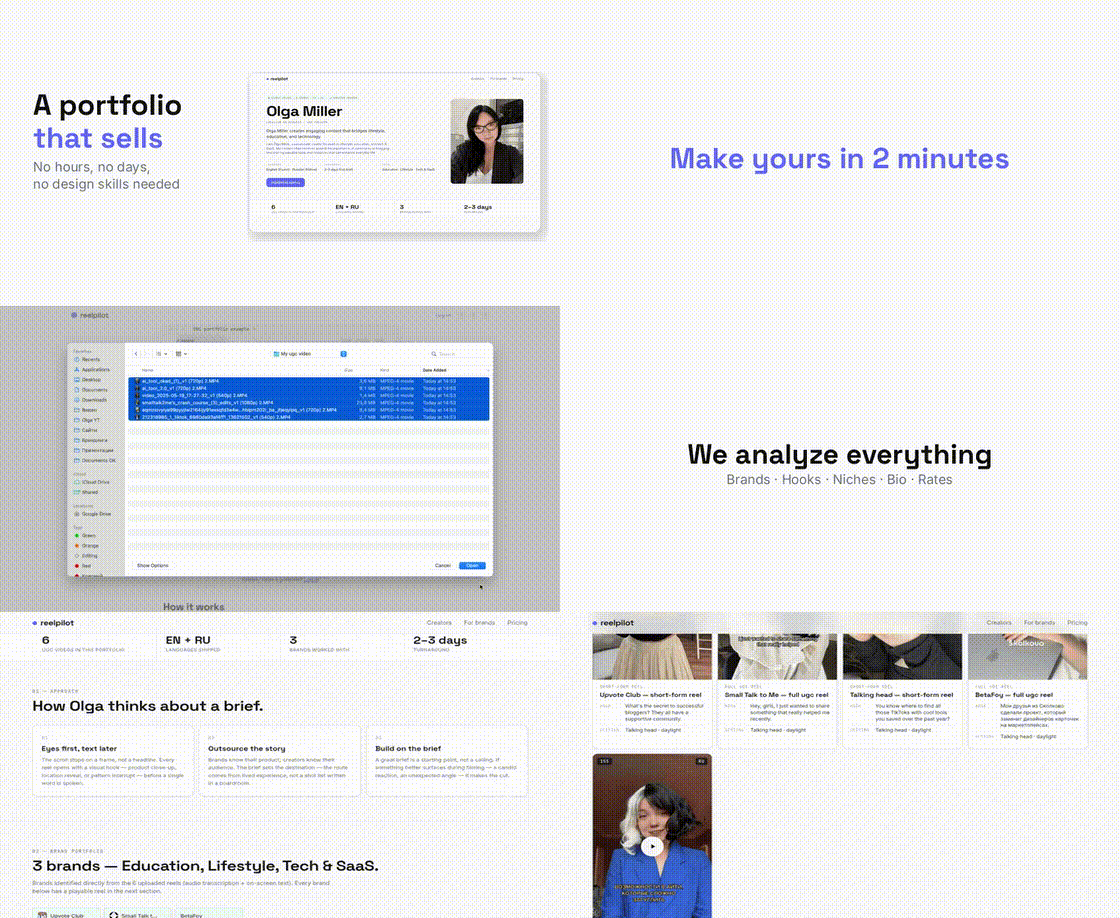
How ReelPilot works — upload videos, get a portfolio in 2 minutes

Everything Your Portfolio Includes

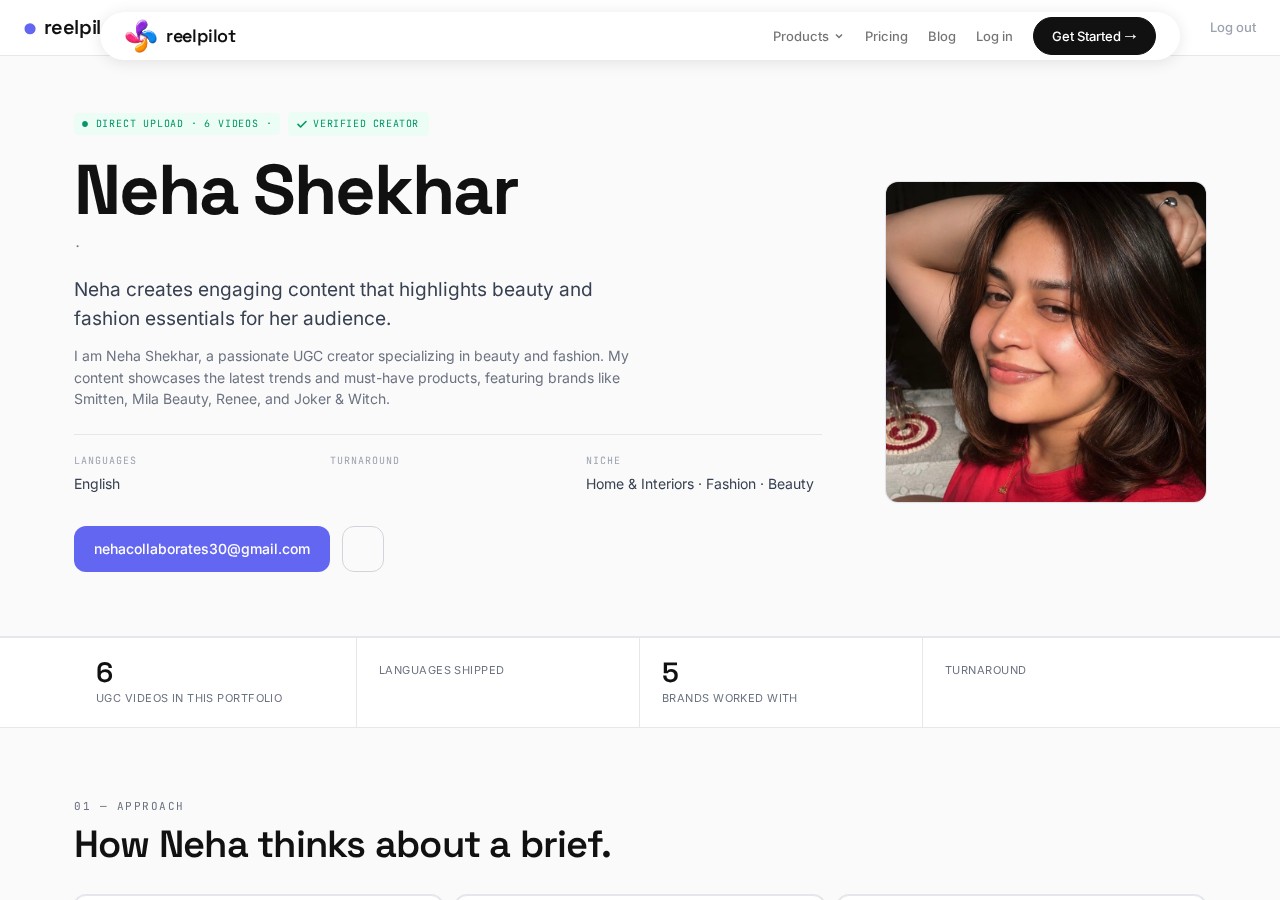
Every portfolio page is auto-generated from your videos. Here's what brands see when they open your link — and why it converts better than a Drive folder.

Creator profile page example
01

Creator Profile

Your photo, bio, niche, languages, turnaround time, and location. Brands see who you are and whether you're the right fit before watching a single video. The profile is auto-generated by AI but you can edit every field manually — for free.

  • Auto-generated positioning statement
  • Niche and language tags
  • Turnaround time and rates
  • Edit anything manually, anytime
AI-detected brand portfolio section
02

AI-Detected Brands

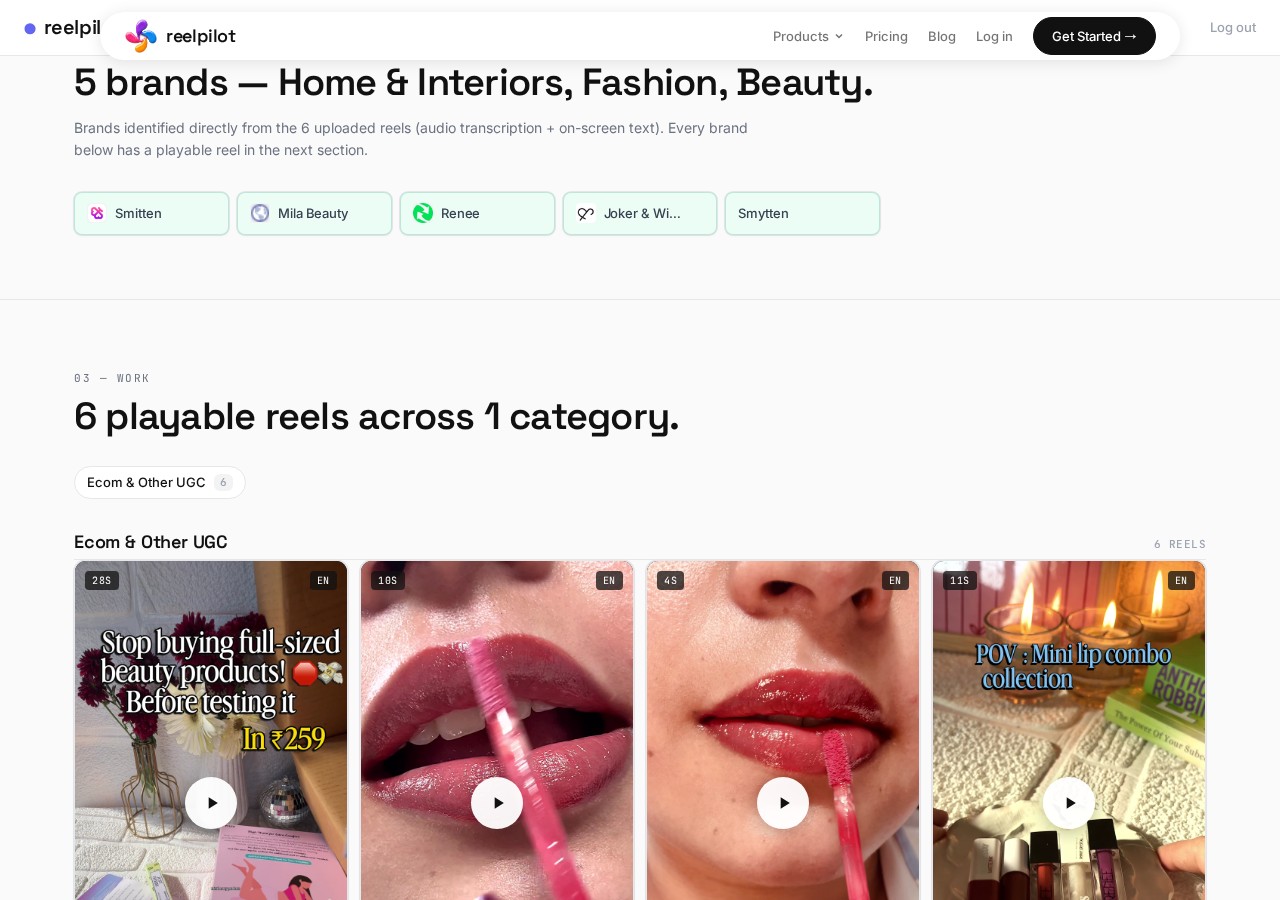
Our AI watches your videos, reads on-screen text and audio transcripts, and identifies every brand you've worked with. No manual tagging needed. Brands are grouped by industry so clients can quickly find relevant work.

  • Brand logos and names extracted automatically
  • Grouped by industry and niche
  • Linked to playable reels
  • Works even for small or local brands
Creative approach analysis section
03

Creative Approach

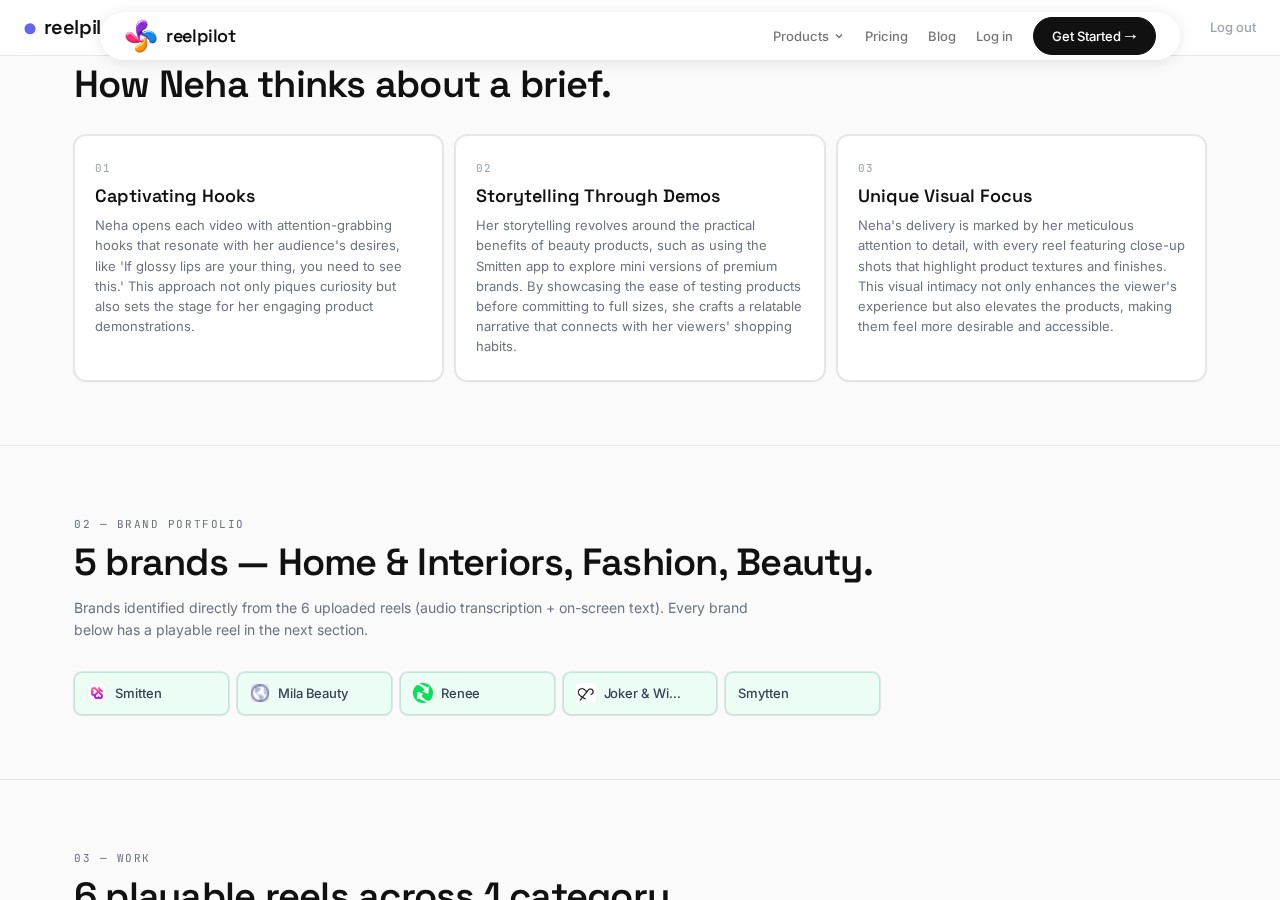
AI analyzes your style across all videos and writes a "how you think about a brief" section. Brands understand your creative process before reaching out. This is what separates you from 100 other creators in their inbox.

  • Hook strategy breakdown
  • Storytelling patterns identified
  • Unique style description
  • Updated automatically as you add videos
Playable video reels grid
04

Playable Video Reels

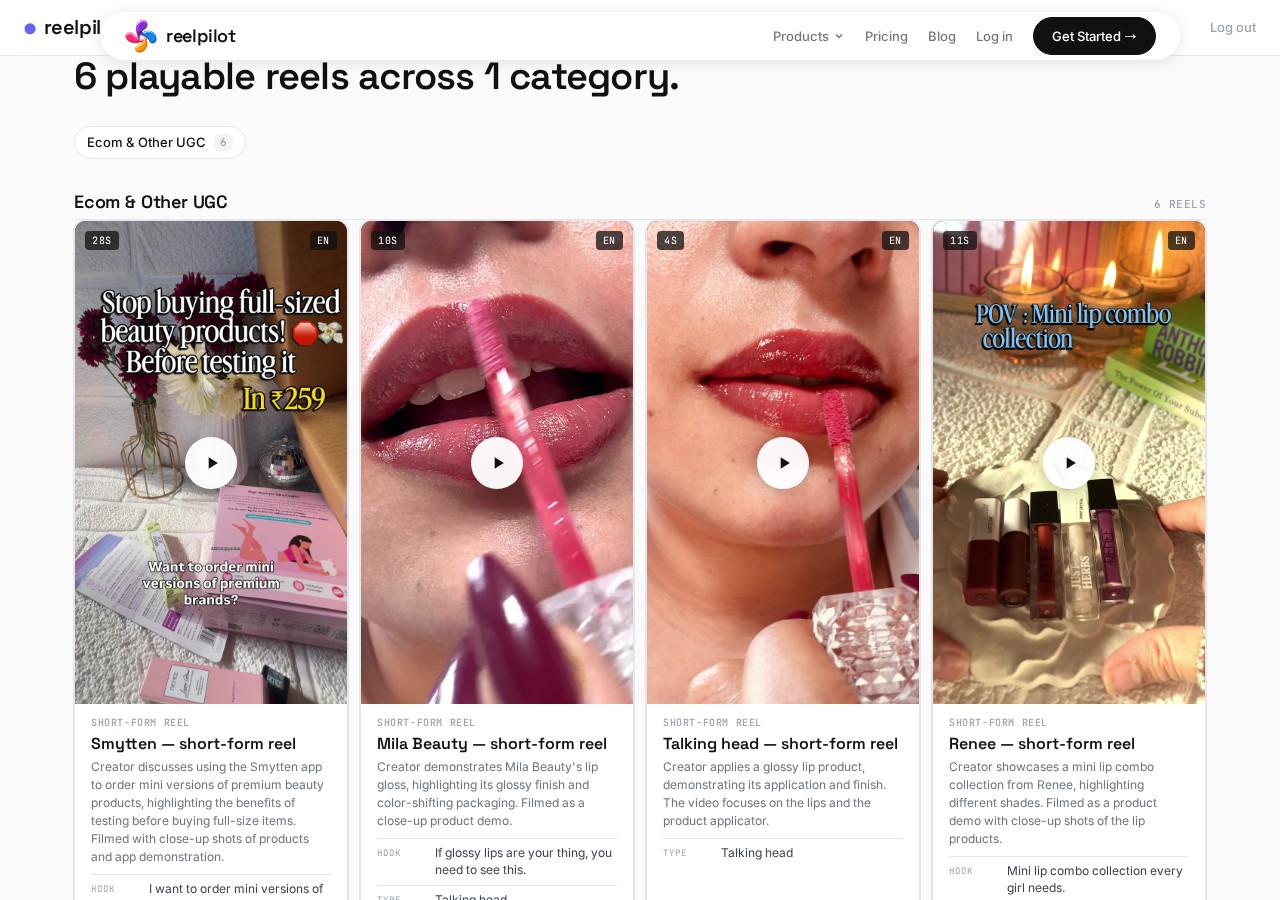
Every video plays natively on the page. No downloads, no redirects, no "request access." Each reel gets a card with hook text, content type, brand, and duration. Brands watch your work without leaving the page.

  • Native video player, not embed links
  • Auto-detected hooks and captions
  • Organized by brand or category
  • Instant playback on mobile
05

Stats at a Glance

Number of videos, languages, brands, and turnaround time displayed prominently. These numbers are the first thing brands scan before deciding to scroll deeper into your work.

  • Video count and languages shipped
  • Brands worked with (auto-counted)
  • Verified creator badge
  • Updated in real time
06

One Shareable Link

Your portfolio lives at reelpilot.co/c/your-name. Works on any device. Add it to your Instagram bio, email signature, pitch messages, or cold DMs. One link replaces folders, decks, and scattered files.

  • Clean URL with your name
  • Mobile-optimized layout
  • View analytics built in
  • SEO-indexed for discovery

From Videos to Portfolio in 5 Steps

No design skills needed. No templates to configure. Upload your reels and AI handles everything — you just review and share.

1

Upload Videos

Select UGC reels from your phone or desktop. MP4, MOV — any format. Drag and drop or tap to browse. Up to 6 videos free.

2

AI Analyzes

AI watches each video, detects brands from visual and audio cues, identifies hooks, and categorizes content type — in under 30 seconds per video.

3

Add Your Details

Enter your name and email. Optionally add a one-liner about your niche. AI writes the rest — your full bio, creative approach, and positioning.

4

Review & Edit

Preview your portfolio page. Edit any section by hand — completely free. Use AI credits to regenerate bio, rewrite case studies, or add more videos.

5

Share & Pitch

Copy your permanent link. Add it to your bio, email signature, or brand pitch. Brands can also discover you through the ReelPilot creator directory.

Free to Create. Low-Cost AI When You Need It.

Build and manage your portfolio without paying a cent. AI-powered features use credits — starting at $0.15 each.

Free Forever

Upload up to 6 videos with AI analysis, edit by hand, share your link, get listed in the directory.

$0
No credit card required

AI Credits

Analyze more videos, regenerate bio, auto-create case studies. Buy packs, no subscription.

$0.15 / credit
Credits never expire

Creators Already Using ReelPilot

Real portfolios built by real creators. Click any card to see what your portfolio could look like.

What Creators Say

Hear from UGC creators who replaced their Google Drive folders and Canva decks with a ReelPilot portfolio.

★★★★★
"Love it literally. It creates this perfect portfolio for pitching to brands. I love the entire concept of this portfolio. Looking forward to see this site grow!"
Reet
Reet
Beauty & Lifestyle Creator
★★★★★
"The experience was pretty smooth. I loved the feature where AI described my videos. I am glad I hopped on this early."
Krittika
Krittika
Tech & SaaS UGC
★★★★★
"Everything is great!"
Monika
Monika
Lifestyle Creator · Armenia
★★★★★
"I never had an up-to-date portfolio. ReelPilot built in 2 minutes what I'd been putting off for months. Brands reply twice as often now."
C
Chris D.
UGC Creator
★★★★★
"I hated my Canva deck — had to re-layout every time I updated a video. ReelPilot organizes everything automatically. Brands keep finding my page and reaching out on their own."
N
Natalie
UGC Creator

ReelPilot vs. Alternatives

Why creators switch from Google Drive folders, Canva decks, and generic link-in-bio tools to ReelPilot.

FeatureGoogle Drive / PDFCanva PortfolioLinktree / CarrdReelPilot
Setup time1-2 hours2-4 hours30-60 min2 minutes
AI brand detectionNoNoNoYes
Auto case studiesNoNoNoYes
Video playbackDownload requiredStatic imagesEmbed onlyNative player
Auto-updates on new videoManual re-shareRedesign neededManualAutomatic
Brand pitchingManualManualManualAI-powered
Mobile uploadClunkyDesktop onlyLimitedBuilt for mobile
Creator directoryNoNoNo3,000+ creators
PriceFree$13/mo (Pro)$5-24/moFree + credits

Frequently Asked Questions

Everything you need to know about building your UGC creator portfolio on ReelPilot.

What is a UGC creator portfolio?
A UGC creator portfolio is a shareable page that showcases your best user-generated content videos, brand collaborations, and performance metrics. It replaces PDFs and Google Drive links with a single professional link you can send to brands. Think of it as your UGC resume — but with playable videos and automatic brand detection.
Is ReelPilot free to use?
Yes. Creating your portfolio is completely free. You can upload up to 6 videos with AI-powered brand detection, get an auto-generated bio and case studies, and share your portfolio link — all at no cost. Manual editing is free forever. AI-assisted features beyond the free tier use credits, starting at $0.15 each.
How long does it take to create a UGC portfolio?
About 2 minutes. Upload your videos, enter your name and email, and AI automatically detects brands, hooks, and content types. Your portfolio page is ready to share immediately. Most creators spend another 5 minutes tweaking their bio and reordering videos.
Do I need followers to use ReelPilot?
No. ReelPilot focuses on your content quality, not follower count. Brands care about the work you produce — your hooks, your editing, your ability to sell a product. Your portfolio showcases exactly that, regardless of how many followers you have on social media.
Can brands find my portfolio?
Yes. Your portfolio is indexed by search engines and listed in the ReelPilot creator directory with 3,000+ creators. Brands can search by niche, language, location, and rates. You can also share your link directly in outreach emails, DMs, and your social media bios.
What video formats are supported?
MP4, MOV, and all major video formats. Vertical, horizontal, and square videos all work. There's no minimum or maximum resolution requirement, and file size can be up to 200 MB per video.
How is this different from a Canva portfolio?
Canva creates static image-based designs that you need to manually update every time you add new work. ReelPilot is built specifically for video content creators: native video playback, AI-powered brand detection, automatic case studies, and built-in brand pitching. Upload a new video and your portfolio updates itself.
Can I edit my portfolio after creating it?
Yes. You can manually edit your portfolio for free at any time — change your bio, reorder videos, update rates, add new clips, and modify your positioning statement. AI-assisted editing (auto-rewrite bio, regenerate case studies) uses credits, but manual editing is always free.
What does AI brand detection actually do?
When you upload a video, AI analyzes the visual content, on-screen text, and audio transcript to identify which brands appear. It then generates a brand card with the name, industry, and a direct link to the relevant reel. This saves you hours of manual tagging and makes your portfolio instantly credible.
How do AI credits work?
The first 6 video analyses are free. After that, each additional video uses one credit. Credits cost as low as $0.15 each in bulk packs. Manual editing of your portfolio is always free — credits only apply to AI-powered features like brand detection, bio regeneration, and case study creation.
Can I use ReelPilot if I'm just starting out?
Absolutely. Even if you have only 2-3 videos, ReelPilot will build a portfolio that looks professional. Many creators start with personal projects or spec work and land their first brand deal through their ReelPilot portfolio. You don't need experience or a track record to create a page.
Is my data safe?
Yes. Videos are stored securely, your portfolio is served over HTTPS, and we never share your contact information with brands without your consent. You can delete your portfolio and all associated data at any time.
What niches work best on ReelPilot?
All niches work. Our most active categories include beauty, skincare, food, tech, fitness, fashion, and lifestyle — but the tool is niche-agnostic. If you create UGC or brand content in any category, ReelPilot works for you.
How do I get more brand deals through my portfolio?
Three ways: 1) Share your portfolio link in brand outreach emails and DMs — a professional page gets far more responses than a Drive link. 2) Add it to your Instagram and TikTok bio so brands can find your work. 3) Get discovered through the ReelPilot creator directory, where brands search by niche, language, and rates.
Can I use ReelPilot for non-UGC video work?
Yes. While ReelPilot is optimized for UGC creators, it works for any video-based portfolio — social media managers, video editors, content creators, freelance videographers. If your work is video, ReelPilot can showcase it.
Guides for UGC Creators

Tips, strategies, and industry knowledge to help you land more brand deals and grow your creator career.

Career
What Is a UGC Creator? The Complete Career Guide for 2026
UGC creator vs influencer, what brands actually pay for, and how to start with zero experience.
Outreach
How to Pitch Brands as a UGC Creator (Templates Inside)
Find the right contacts, write cold emails that get replies, follow up, and negotiate rates.
Viral Growth
How to Make a Reel Go Viral: A Creator's System
A practical, repeatable system — hooks, retention, editing, sound, and posting strategy.
View All Articles →

Start Building Your UGC Portfolio

Join 3,000+ creators who already have a professional portfolio. Free to create, free to edit, no credit card required.

Create Your Portfolio Free →